
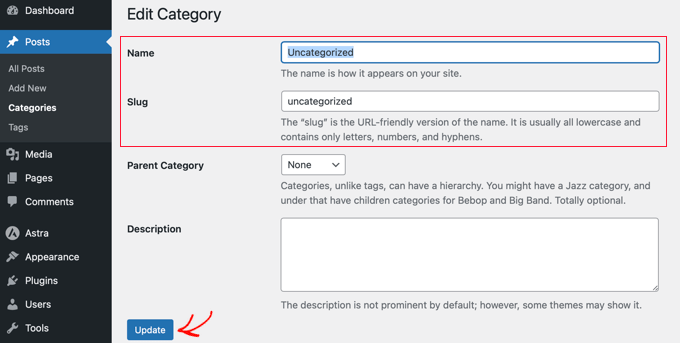
“Uncategorized Posts” refers to a default category in WordPress for posts that have not been assigned a specific category. This is a fallback system, and while it can be renamed or managed, it cannot be deleted while it remains the default. To change this, you can either assign categories to your posts or set a different default category in your WordPress settings to prevent this default behavior.
Understanding “Uncategorized Posts”
- Default category: “Uncategorized” is a default category created automatically when a WordPress site is set up.
- Fallback system: It acts as a catchall for posts that are published without being assigned to any specific category.
- Potential issues: Relying on this category can make a blog seem unprofessional and make it harder for readers to find content.
How to Manage or Change It
- Assign categories: The best practice is to assign a relevant category to every new post you create.
- You can use the “Quick Edit” option on a post to assign it to a category.
- Change the default category: To stop posts from defaulting to “Uncategorized,” change the default post category in your WordPress settings.
- Go to Settings > Writing in your WordPress dashboard.
- Select a different, existing category from the “Default Post Category” dropdown menu.
- Rename the category: If you prefer, you can rename the “Uncategorized” category to something like “Miscellaneous” to make it look more professional, but you cannot delete it unless you first change the default category.